
The Music Player That Moves With Your Music.
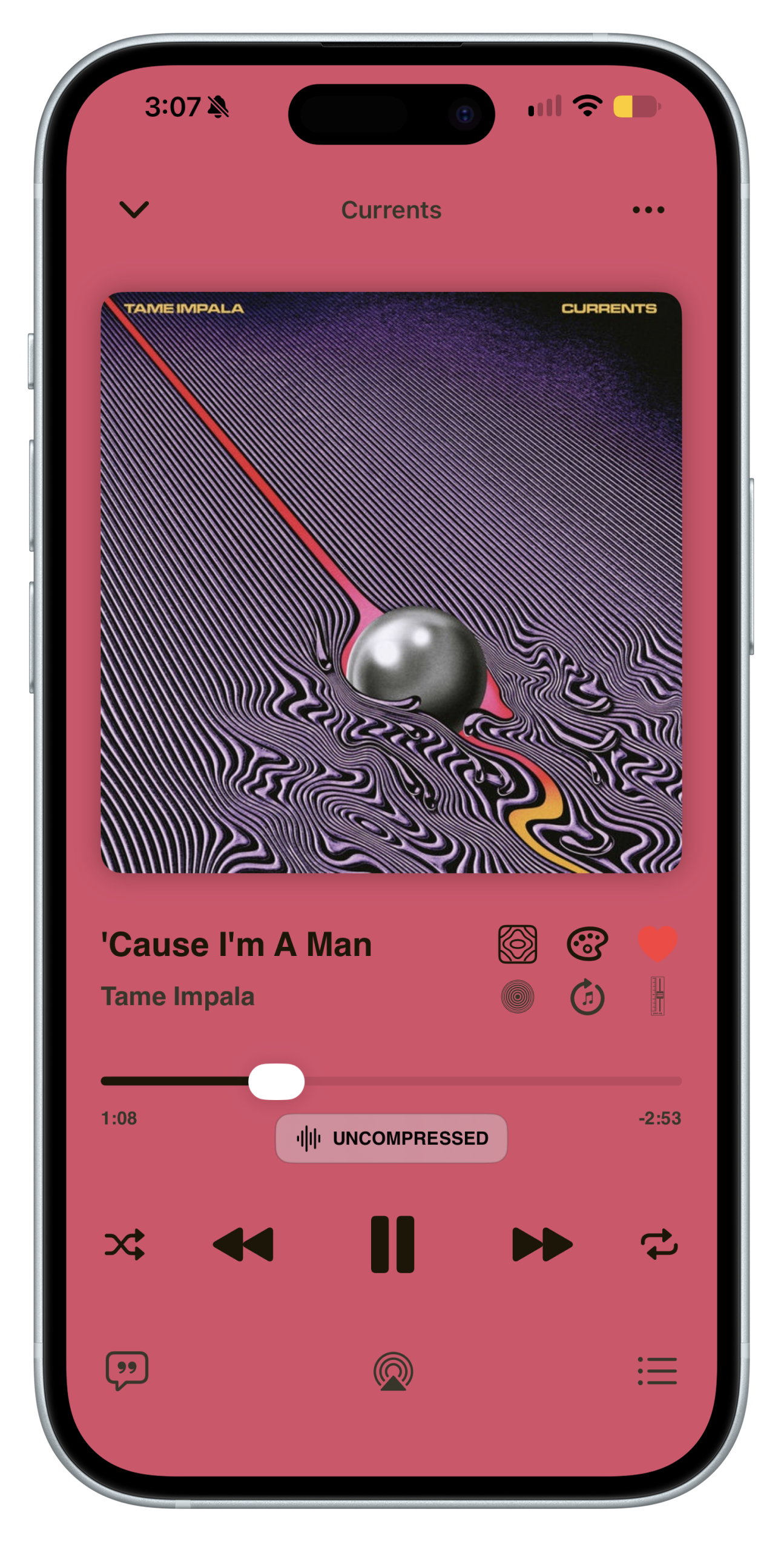
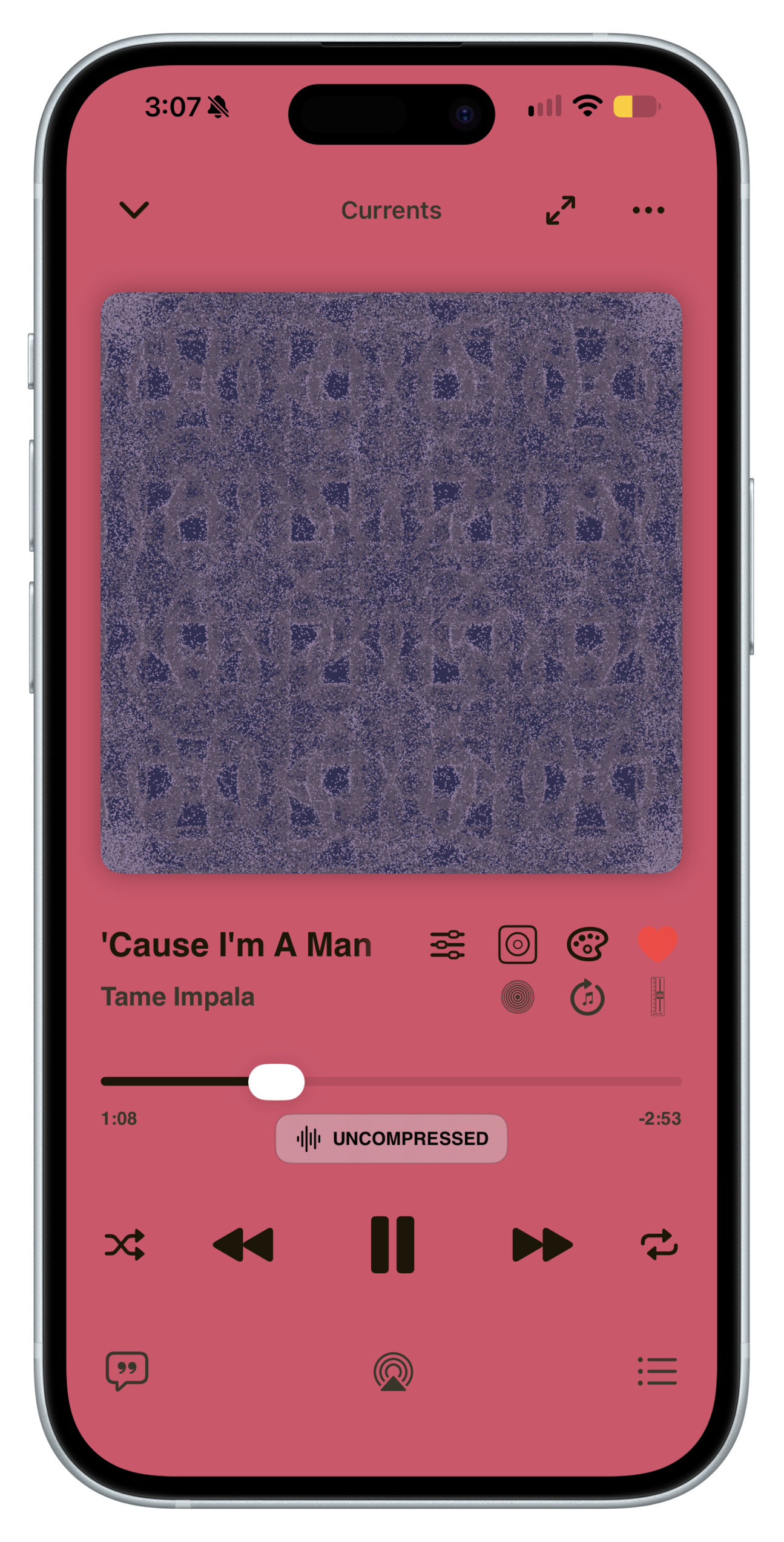
My Music plays the songs you own, on iPhone and Android, with a live cymatics visualizer, colors that follow your album art, and a studio-grade EQ.
Free to download.

Free, with ads. Premium removes them and unlocks offline play, paid once.
Your Library, Your Way.
For the songs you bought, ripped, and collected.
For long drives, late nights, and the record you have had on repeat since high school.
Everything Here Is Free.
Open the app and start playing. Nothing on this list sits behind a paywall.
-
Watch.
The Sound Cymatics visualizer draws the music as it plays, in real time. Every song leaves a different pattern.
-
Recolor.
Pick a color preset, let the whole app adapt to it, or take the colors straight from the album cover. Light mode and dark mode, both.Try it on this page:
-
Read.
Artist pages pull the artist's story from Wikipedia, so the person behind the record is one tap away.
-
Credit.
Song credits come from Discogs or MusicBrainz, or you type them in yourself. Producers, players, engineers, all kept with the file.
-
Tune.
A premium ten-band equalizer, included in the free app.
-
Flip.
Jukebox View: turn your phone sideways and your library fans out into covers you can flick through.
-
Speak.
Every language the App Store and Google Play list, and more. 96 in all.
A Closer Look At Some Of Our Features
Sound Cymatics Visualizer
The visualizer reads the audio as it plays and draws the standing-wave pattern the sound would leave on a vibrating plate. It runs on the artwork, full screen, or across the whole player in landscape.
Color palette
Choose a preset, build your own, or turn on Whole App Adaptive Color and let the app recolor itself from whatever cover is playing. Save a palette per album or playlist. Light and dark modes each keep their own.
Artist pages
Each artist page can pull a biography and photo from Wikipedia. Edit the text, swap the picture, or leave it as it came.
Song credits
Look up who played, produced, and wrote each track on Discogs or MusicBrainz, or type credits in by hand. Credits are written into the file, so they travel with your music.
Equalizer
Ten bands, studio-style filters, and presets you can save. It is part of the free app.
Jukebox View
Turn the phone sideways and every page becomes cover flow: albums, artists, playlists, and the queue itself. Flick, tap, and the cover flips over to play.
Languages
Pick any of 96 languages inside the app, independent of your phone's setting. Right-to-left languages flip the whole interface.
Offline play and no ads Premium
Premium removes the ads and lets the app play anywhere, with no connection needed.
Pitch Adjustment Add-On Feature
A turntable-style pitch fader. Keep voices natural with formant preservation, or switch to pure repitch for razor-sharp drums.
Song Looper Add-On Feature
Set a region on the beat and loop it, gapless. The app finds the tempo for you.
Sound Effects Add-On Feature
Echo, reverb, and tremolo, synced to the song's tempo, after the EQ.
Speaks Your Language.
My Music ships in 96 languages: every one the App Store lists, and dozens more.
